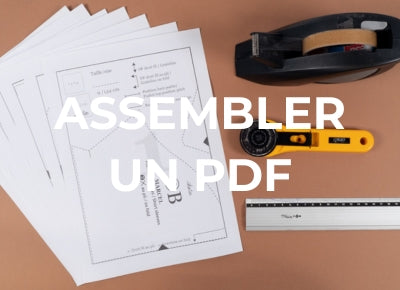

How to download and print a PDF sewing pattern?
In this video tutorial, we show you how to download, assemble, and cut out your PDF sewing pattern. There are also plenty of little tips to make sewing easier.
You must open your file with a PDF reader like Adobe Acrobat Reader here .
If your pattern has layers, you can learn how to view and use them with our technical tutorial.

1. Buy and download your PDF pattern
To properly print your PDF sewing pattern, you must first purchase and download it, of course. This may seem trivial, but it's very important to download the files one by one. A PDF pattern can contain many files. For example, at ikatee, you'll find a tutorial file, a file for each size, and often an A0 file.
We therefore strongly recommend downloading all files and saving them in a specific folder on your computer. With Ikatee, you're only allowed five downloads. You can create a folder in your email to find them, but most importantly, make sure to save your files to your computer.

2. Print the PDF sewing pattern at home
Once you've selected the size you want to print and opened the file, comes the more technical phase: checking the print settings. If you don't print at the correct scale, your pattern will be distorted. There's a strong risk that your garment will be the wrong size.
The parameters to select:
- portrait print
- A4 format
- 100% scale (this is THE key parameter for the success of your print)
Ikatee PDF sewing patterns come with a check square located on the first page. Once you've selected your settings, we recommend printing only the first page of your pattern and checking that the test square measures 3 cm by 3 cm. If it does, you can print the rest of your pattern, double-checking that all the settings mentioned in the previous paragraph are still active. They can jump from one print to the next.
If the square isn't 3x3 cm, you probably missed a parameter. Go back through the list and check that everything is correct.
If you have trouble downloading files, try changing browsers (e.g., Safari, Google Chrome, or Firefox).

3. Assemble your PDF pattern
You'll notice that a frame surrounds the pattern lines. What we want is to place them edge to edge and connect them. To get rid of the margins of the sheet, I recommend cutting along the frame, as this is the option that will create the least amount of paper thickness. But if you'd rather save time, here are some little tips: you can simply fold the edges over the lines (see video) or cut 2 lines out of 4, always the same.
You can then position the sheets edge to edge, making sure to match the marks. We recommend assembling them with tape. Also, follow the sheet assembly plan carefully to get to the line at the right time. Otherwise, you risk ending up with pieces of odd shapes!
4. Cut out the PDF pattern
The final step is cutting! Simply follow the cutting lines, knowing that at ikatee, seam allowances are always included.
Now that you know all there is to know about printing, assembling, and cutting out a PDF pattern, find all our PDF patterns in the store.
5. OPTION: print an A0 pattern at a printer
Our patterns are now available in A0 format in multi-size version only.
Printing in A0, our recommendations
To make the printing process easier for you and avoid sticking A4 sheets together...ikatee offers A0 PDF format for its patterns. These are very large sheets with all the pieces printed for all sizes at the same time. We avoid overlapping the pieces in this case to allow you to cut directly if you wish....at the same time, it's always a shame to cut out a pattern sheet because we often want to make another size later. In short, we have tested two printing sites for A0 formats for you:
Both sites are super easy to use; you upload your files and pay with mail or express delivery, the boards arrive folded in an envelope (we did it with express chronopost and we had it the next day...but in general, it will take 3 days max). The quality of the paper is excellent and the print quality is flawless.
The price...count from €1.20 to €2.40 in black and white and €2.40 to €4 excluding VAT in color per page (dimensions 841 x 1189 or approximately 1m2) excluding delivery costs.
We highly recommend either of these sites!
Feedback, an idea, a question?
You can contact us at the following address: contact@ikatee.fr .
Customer service is open Monday to Friday , 8am to 4pm , to answer all your questions. You will receive a response from us within 48 hours , excluding weekends and public holidays.